
Every movement in your warehouse is verified by barcode, and every order ships on time
HaROS WMS verifies every step by barcode, from receiving to shipping. Algorithms plan the picking waves and the field team moves step by step with handheld terminals. Because it runs on the same core as HaROS OMS, the warehouse sees an order the moment it drops in.
Six steps from receiving to shipping
Every step is verified by barcode and every movement updates the stock record instantly. No confirmation by paper or radio is needed.
Receiving
Expected goods are verified by barcode at the dock against the advance shipping notice (ASN). Overages, shortages and damaged products show up instantly.
barcode verificationPut-away
The system suggests a bin for the product based on occupancy and turnover rate. Put-away is not random; it is measurable.
smart put-awayOrder Picking
HaROS WMS supports wave, batch, zone and cluster picking. Where the same product appears in many orders, you pick it in a single trip with Hero Picking.
wave · batch · zone · clusterPacking
Package contents are re-verified by barcode at the exit, and the product image appears on screen. A product whose barcode does not match cannot pass packing.
barcode checkShipping
HaROS TMS selects the carrier according to the rules you define and prints a shared label. Tracking information goes to the customer automatically.
TMS integratedCount and Returns
You count zone by zone without stopping operations. Returns are taken into the return pool with a special code and go back to the shelf after quality control.
cycle counting · returnsThe stock on the shelf matches the stock in the system
HaROS WMS records every stock movement instantly and passes it to your sales channels. You see at any moment how many units of which product are on which shelf.
Works in the field across different scales and industries
HaROS WMS runs in dozens of warehouses, from large e-commerce players to mid-sized businesses. It uses the same infrastructure in retail, textile, grocery and B2B operations.
All warehouse processes in a single system
HaROS WMS covers receiving, storage and distribution down to the finest step. The warehouse functions needed for B2B and B2C operations come ready.
Try the screens yourself
HaROS runs in the browser; no installation is needed. In the interactive demo you use real product screens.
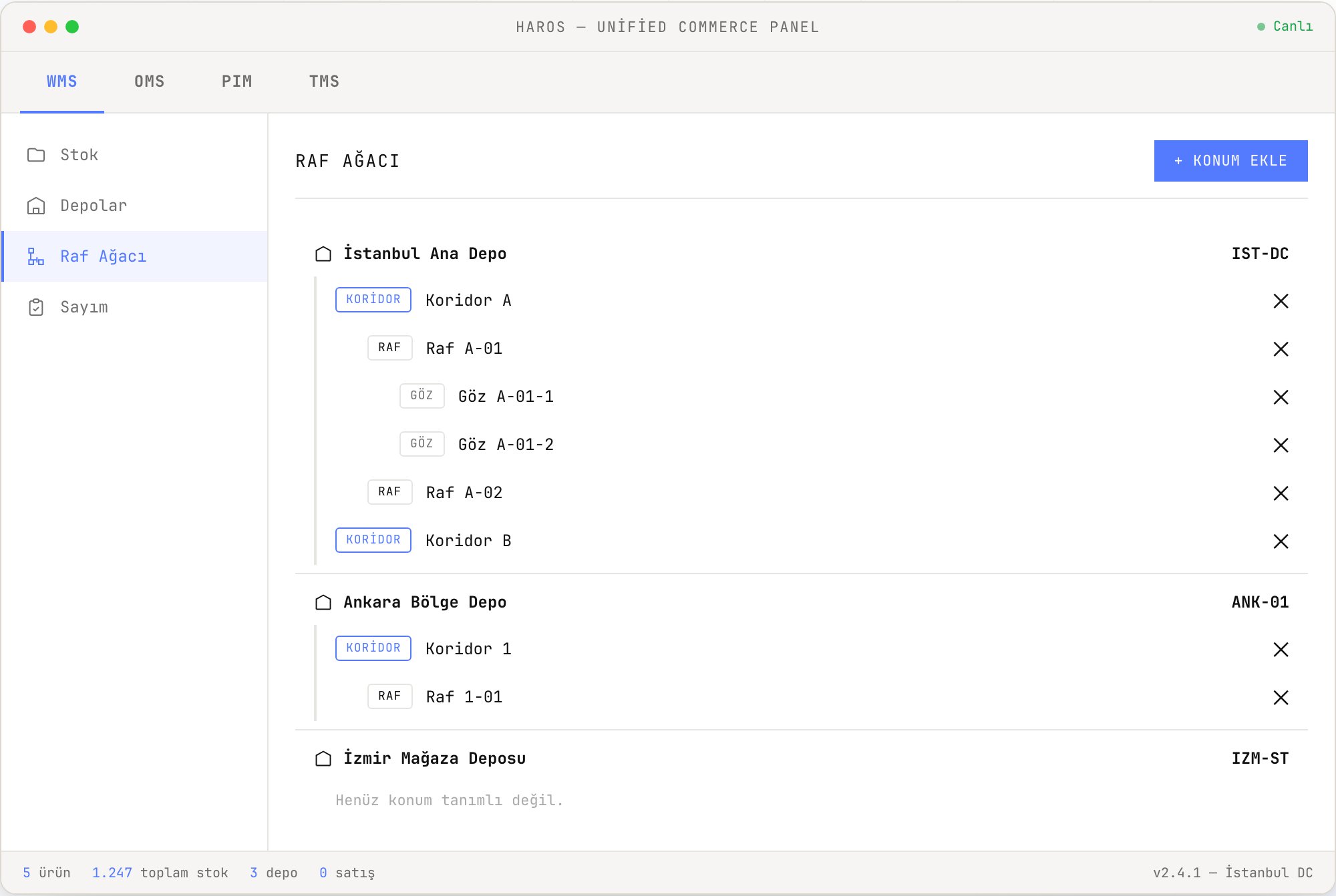
- Edit the rack tree — warehouse → aisle → rack → bin
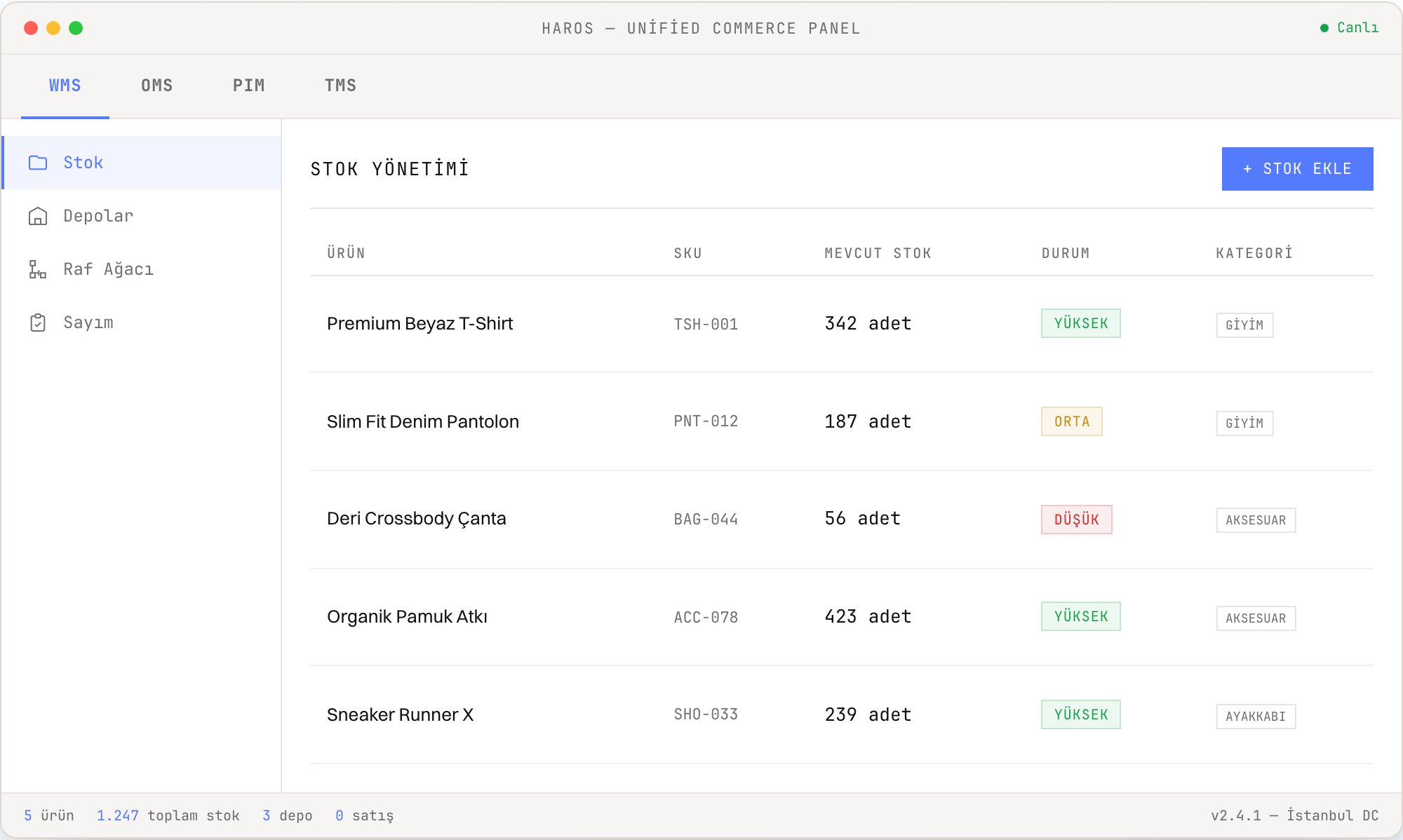
- See real-time stock by location, and make movements
- Navigate between the WMS, OMS, PIM and TMS panels
Warehouse layout, occupancy and labels
The rack tree holds the warehouse's location hierarchy; the layout screen ties that hierarchy to the warehouse's actual floor plan. Arrange rack blocks and aisles on the drawing, track occupancy by rack, and preview labels before sending them to the printer.
Visual layout editor
Arrange rack blocks and aisles on the drawing; work with multi-floor layouts, obstacle definitions, DXF and visual backgrounds.
DXF · visual backgroundFrom layout to rack tree
Preview the layout you designed and transfer it into the rack tree — the layout plan and the location hierarchy (warehouse · aisle · rack · bin) feed each other.
Transfer with previewPicking route planning
Arrange the aisle and rack sequence to form the basis of the picking flow; the picking route follows the physical order on the floor.
Watch →Label and printer management
Define label templates and printers. Preview the ZPL (Zebra printer language) output before printing.
Label template · ZPL previewOccupancy by rack — 2D and schematic 3D
Track the unit count and the number of distinct products (SKUs) on a rack; see the occupancy rate on racks with a defined capacity. The 3D view is schematic and does not replace real warehouse measurement.
SAMPLE DATAThe rack codes, counts and percentages above are sample data. Racks without a defined capacity do not show a rate; only unit count and SKU count are tracked.
Results measured in the field
HaROS WMS increases order picking speed while lowering labor cost, operational errors and stock discrepancies.
More order lines per hour with wave, zone and batch picking.
Less manual work, a controlled shift plan.
Wrong product, wrong address and broken processes are reduced.
Real-time stock visibility lowers the risk of overselling.
Bring your warehouse into the system as it is
From the location hierarchy to lot and expiry tracking, HaROS WMS models your structure on the floor as it is. HaROS takes shape around your operation.
People, robots and AI, working together
The field team works with handheld terminals, robots through project-based integration, and Comnous AI with forecasting and allocation, all in the same picking wave.
In the field team's hands
Every step runs from the handheld terminal. Screens are in Turkish, flows advance with one tap and an error triggers an instant warning.
In the same wave as robots
Integration with AMR/AGV systems is done project by project. Robots join picking waves together with the field team.
Suggests decisions with data
Which product ships from which warehouse, when to count, how much to replenish: Comnous AI brings the suggestion, you make the decision.
PIM, OMS and WMS run on the same core
The modules work alone or together. PIM feeds product data, OMS manages the order, WMS applies it on the floor. Stock and status flow back: one stock, one panel.
Product Information Management
Product, price and content go to all channels from a single source.
Open page →Order Management
Orders from every channel in a single pool — the rules engine fulfills from the best point.
Open page →Warehouse Management
The fulfillment order is applied on the floor: barcode-verified picking, packing and shipping.
● BU SAYFADASINIZA controlled, step-by-step go-live
HaROS WMS is installed alongside your existing ERP. You start with a single warehouse, then expand module by module. Watch →
Discovery & integration
The warehouse model is set up: location hierarchy, master data transfer, ERP and carrier connection plan.
First module setup & testing
WMS is set up and tested; the field team is trained on the RF workflows.
Pilot & validation
A pilot runs at a single warehouse or store, first orders flow through; carrier and ERP sync is validated.
Live use & rollout
The second location and sales channels are added one by one; OMS, PIM and TMS are turned on as needed — no big-bang migration is required.
How it works on the floor in hard scenarios
Operational scenarios that large customers ask about in technical evaluations, and HaROS's answers on the floor.
If the same SKU is in 50 orders, how are operators routed?
Hero Picking kicks in. The operator goes to the location once and, with a single scan, puts the product of 50 orders onto the picking cart. No separate trip is made per order.
SUPPORTEDWhat happens if two operators are routed to the same location, or a transaction locks?
The reservation algorithm and location locking prevent the conflict from the start. If one occurs, the operator is routed to another location when they refresh the screen. Deadlocks are prevented in software.
SUPPORTEDDoes selling stop during a count?
No. You open and close counting zone by zone in the rack tree, and reservation is managed separately. Selling and picking continue while a section is being counted.
SUPPORTEDWhat if WMS shows stock but the product isn't on the shelf?
The operator presses the "Missing" button and the product is moved to a blocked location. Who, when, which order and route are recorded. The order is routed to another shelf; if there is no stock, the status is rolled back and e-mail and API notifications are triggered.
SUPPORTEDIf the carrier system doesn't respond, does shipping stop?
It does not stop. Timeout and retry counts are defined. If a label does not arrive, the system produces its own label and packing is completed up to the label output.
SUPPORTEDIf 5,000 returns arrive in a day, how are they sorted?
A return is taken into the return pool with carrier pre-acceptance and an RMA (return authorization) code. Damaged, sellable and quarantine are separated by location types. A return is not opened for sale until staff place it in a stock location. Watch →
SUPPORTEDIf packing clogs up, does picking back up?
The operations panel shows the picking and packing balance instantly. Backup stations kick in; the system shows the time, quantity and number of people needed. Picked items are tracked in a "picked en route" status.
SUPPORTEDWhat does the system do in busy periods such as Black Friday?
The queue-based architecture scales automatically; the number of handheld terminals does not affect performance. With a replica database, a degraded mode kicks in. In the worst case only reporting stops; the warehouse keeps working.
SUPPORTEDThis is an excerpt. We share the full scenario document, with 80+ questions across 10 topics, in a demo call.
Frequently asked questions
Do we need to replace our existing ERP?
No. HaROS works together with your existing ERP; stock and accounting sync flows through ready connections. There are ready connections for 12 ERPs, such as SAP, Oracle, Logo, Nebim and Mikro.
How long does go-live take?
We don't give a fixed duration; the timeline is planned together based on scope during the discovery phase. WMS first goes live at a single warehouse or store and the field team is trained; channels and locations are then added step by step — no big-bang.
Which handheld terminals does it work with?
It works with Android-based RF devices; the same workflows can also be run from the web interface. If you already have a device fleet, it is preserved.
Can we manage multiple warehouses and store warehouses?
Yes. A central warehouse, store warehouse, fulfillment center and 3PL sit in the same stock pool. HaROS OMS fulfills the order from the most suitable location, and you manage inter-warehouse transfers in HaROS as well.
We have warehouse robots — can they be integrated?
Yes. We offer project-based integration for AMR/AGV systems; robots join picking waves together with the field team. For systems not on the list, you use our open APIs.
Which operational reports do we get out of the box?
Picking success rate, short-pick rate, stock accuracy, phantom SKU count and the error rate on best-selling SKUs come in ready reports. You can pass the same data to your business intelligence (BI) tool. Reports update instantly.
Is there an operational limit on the system?
There is no fixed upper limit in the software; the queue-based architecture scales automatically with load. HaROS today processes 120,000+ orders and 150,000+ product lines per day and rises to 40,000 orders per hour in peak periods.
Run your warehouse with HaROS WMS
Start with a single warehouse. Go live step by step while your ERP keeps running.
Request a demoOrders: HaROS OMS → · Catalog: HaROS PIM → · Integrations →